Turn Your iPhone Into Your Own Personal Karaoke Room


Now that COVID has kept us all cooped up at home,
the hardest part for me
has honestly been not being able to go to a coin karaoke booth.
Music really is the only drug the country lets us have..
So to ease that ache of not being able to go out and about,
I want to show you how,
with nothing more than an iPhone and a pair of earphones,
you can build your own personal karaoke room
anytime, anywhere.
[Note] I can't be held responsible for any noise complaints caused by this method.
What you'll need: an iPhone, earphones (with a built-in mic)
- An iPhone
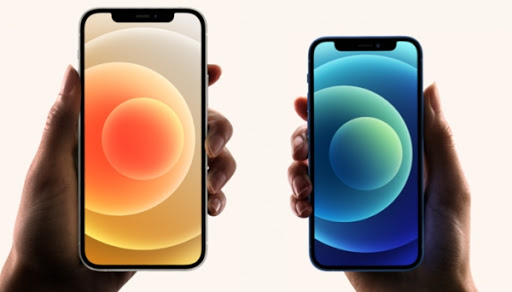
Since we'll be using an iPhone-only app called GarageBand,
you'll definitely need an iPhone. Even an older model works fine.
- Earphones (with a mic)
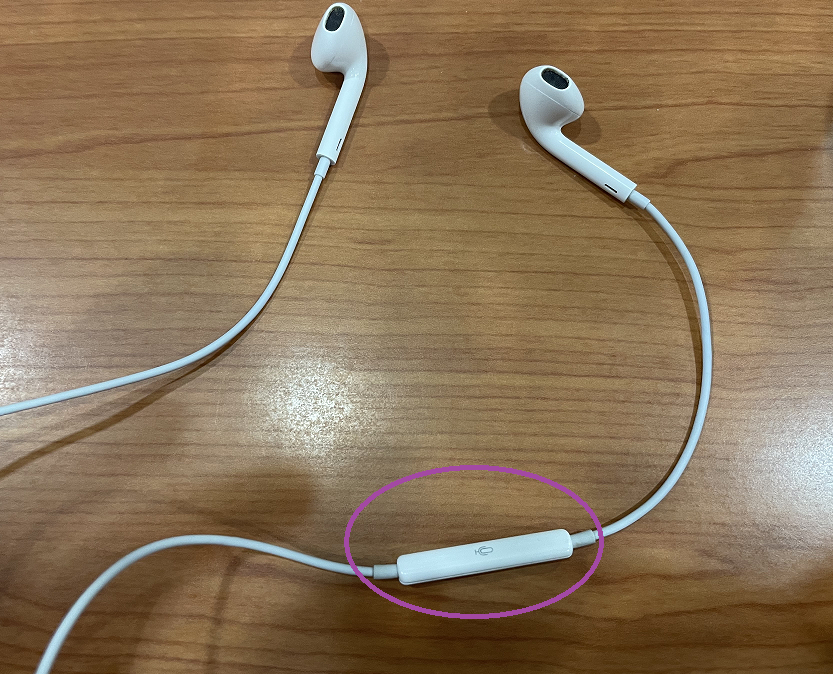
You'll need earphones that support phone calls,
since we need mic input.
Once you have these two things ready,
you can enjoy karaoke anytime, anywhere.
Let me walk you through, step by step,
how to set up the karaoke function,
following along on my own phone.
- Install the GarageBand app.
Open the App Store.
Search for "GarageBand" and install it.
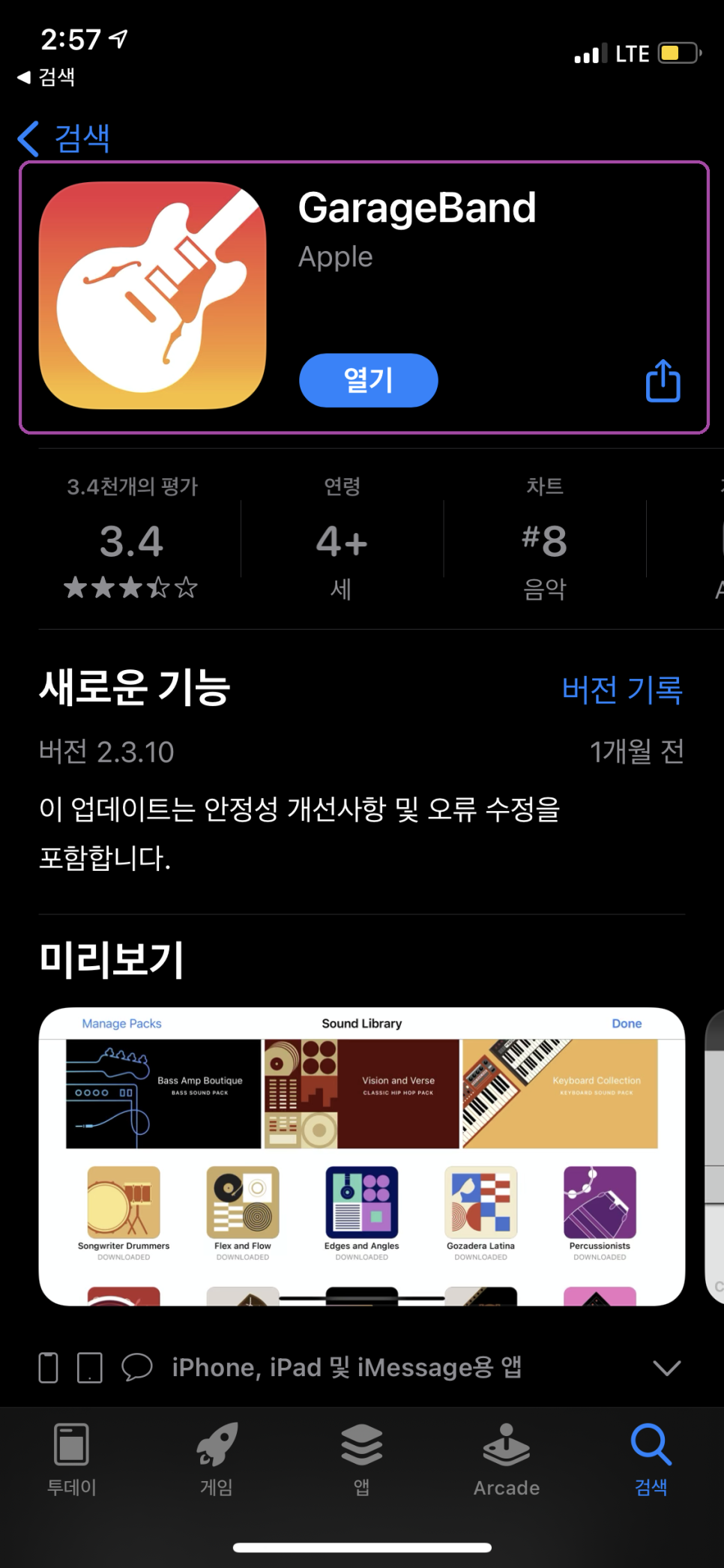
If you already have it installed like I do, you'll see "Open" instead.
- Launch the GarageBand app
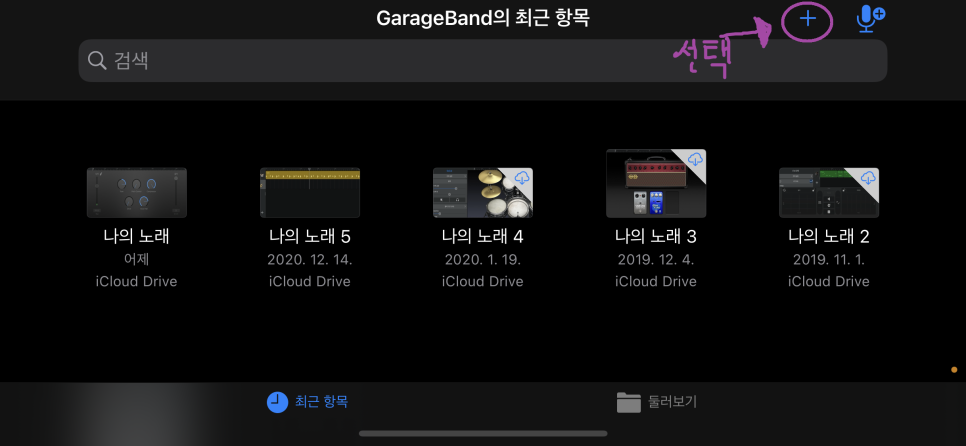
When you launch GarageBand, you'll see a screen like this.
Tap the "+" button to create a new project.
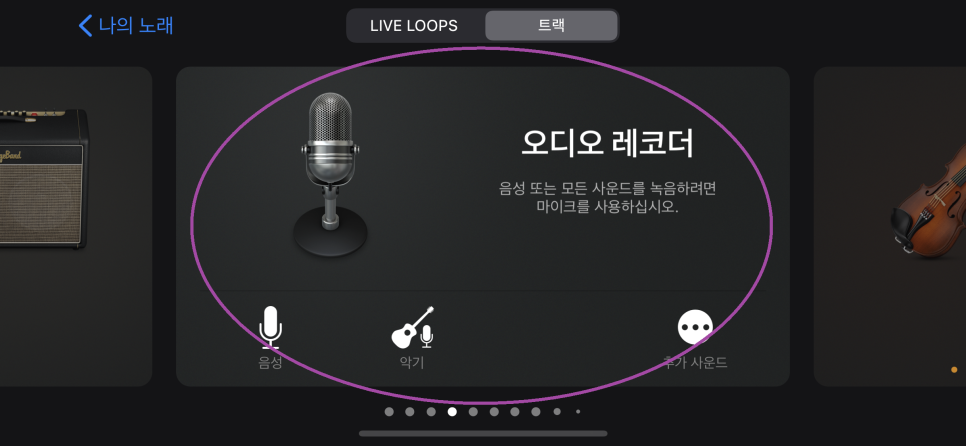
You'll be shown a bunch of instruments —
look for the one called "Audio Recorder."
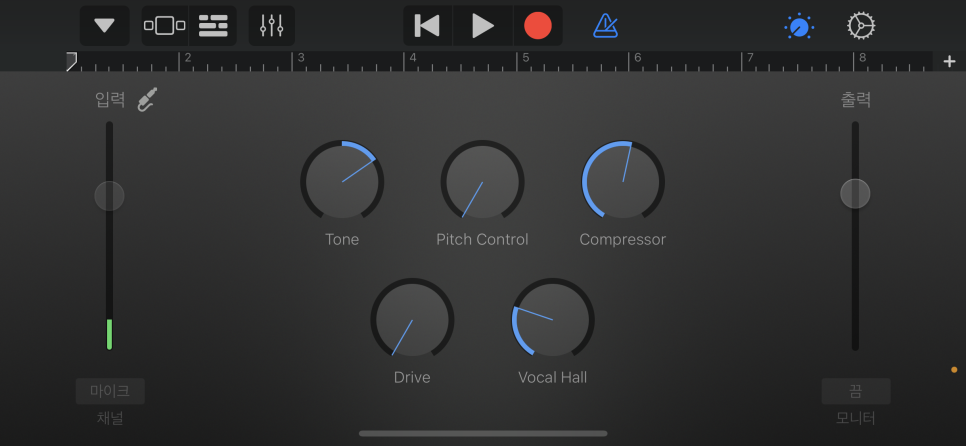
You'll then land on a screen like this.
Note that your earphones need to be connected before you start setting this up.
Using the GarageBand app,
we're going to set things up so you can hear your own voice through your earphones.
You can even add echo and amplification, just like a real karaoke room.
To do that, first you need to turn on "Monitor."
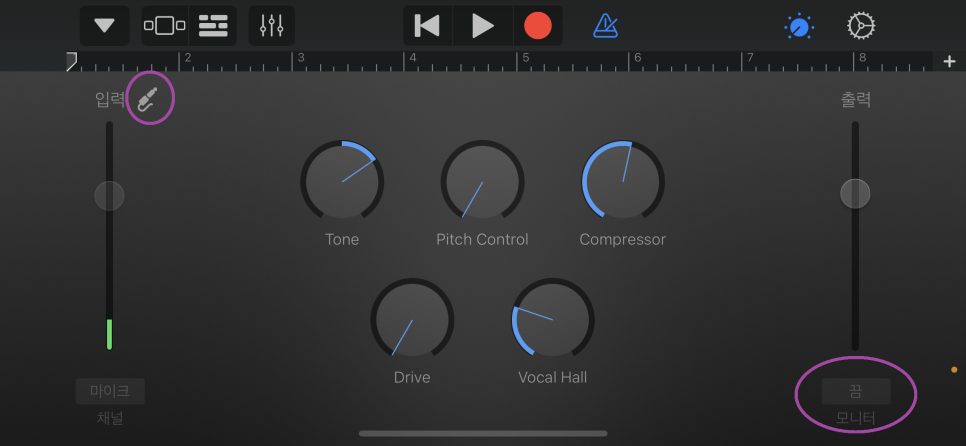
Tap the "Monitor" label on the right and switch it to "On."
Or alternatively,

tap the icon that looks like this,
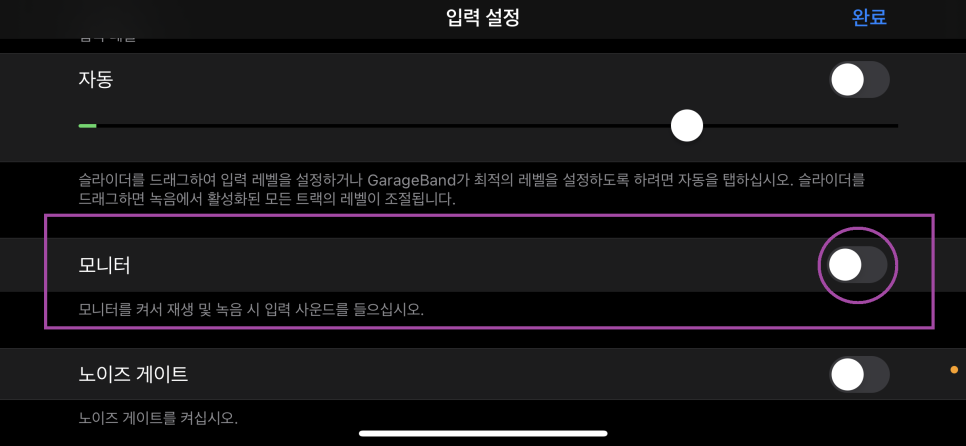
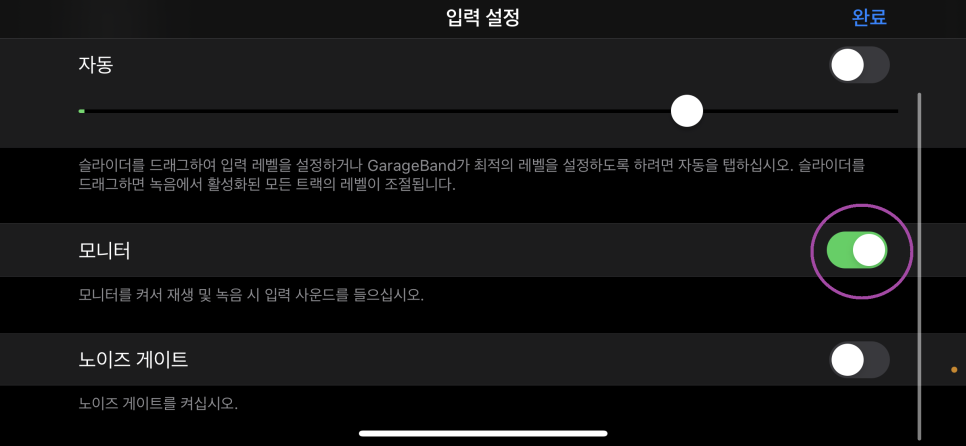
and turn "Monitor" green, activating it, just like in my screenshot.
Now you'll be able to hear your own voice through your earphones.
But that alone isn't quite enough.
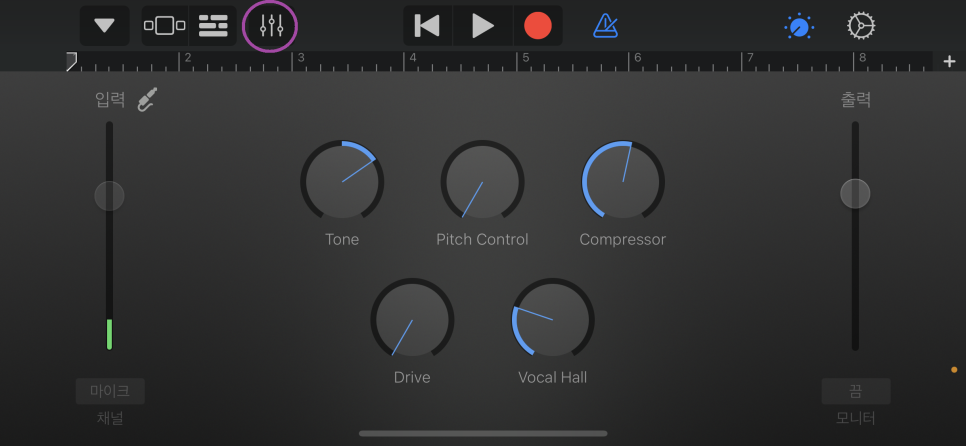
Tap the icon that looks like a set of sliders.
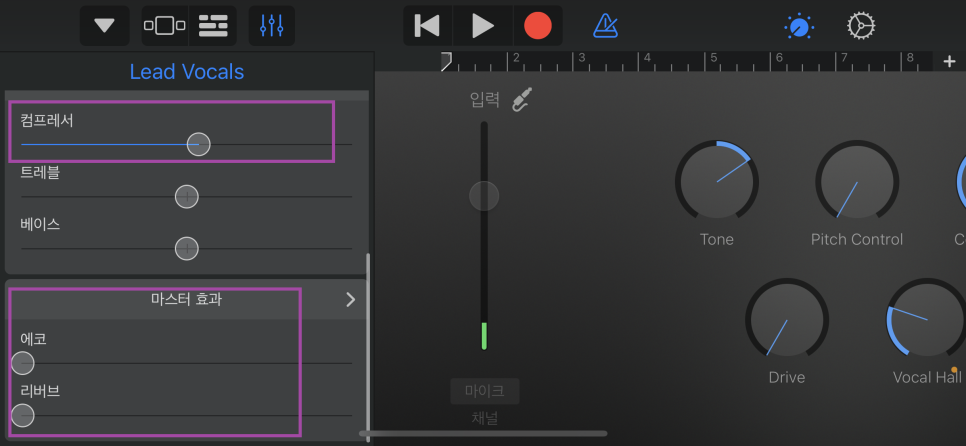
That will open a panel like this on the left.
You can use the compressor to adjust the volume level.
To add that classic karaoke-style echo,
adjust "Reverb" under Master Effects.
What karaoke rooms usually call "echo" turns out to be pretty similar to "reverb" here.
Think of adjusting the echo as adding an "audio-repeat" or reverberation effect —
your voice comes back to you again after a slight delay, which is basically what "echo" is.
Since Monitor is turned on, your voice comes through your earphones
amplified, just like in a real karaoke room.
Just listen and adjust the settings until it sounds the way you like.
Next, you need to set GarageBand to keep running in the background,
otherwise the karaoke echo effect will disappear the moment you go back to the home screen.
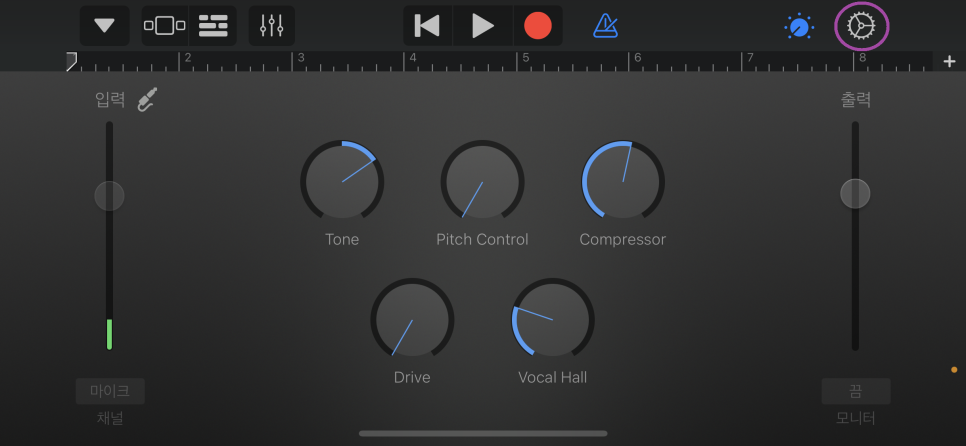
Tap the gear icon,
and the settings screen will open.
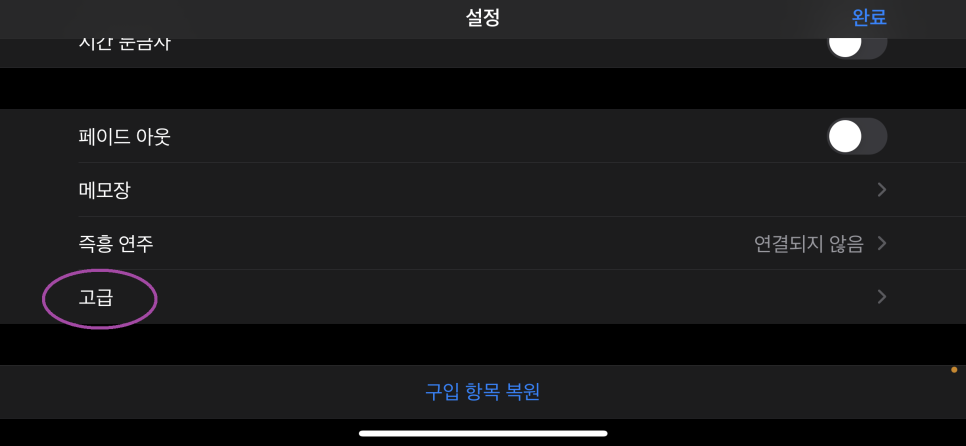
Scroll down and you'll find "Advanced."
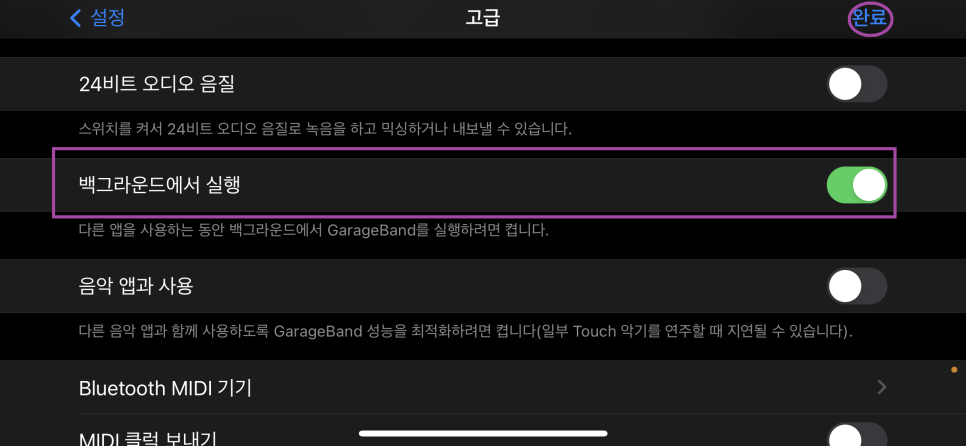
In there, find "Background Audio" and turn it on.
Then tap Done, and the GarageBand setup is complete.
Now go back to your home screen.
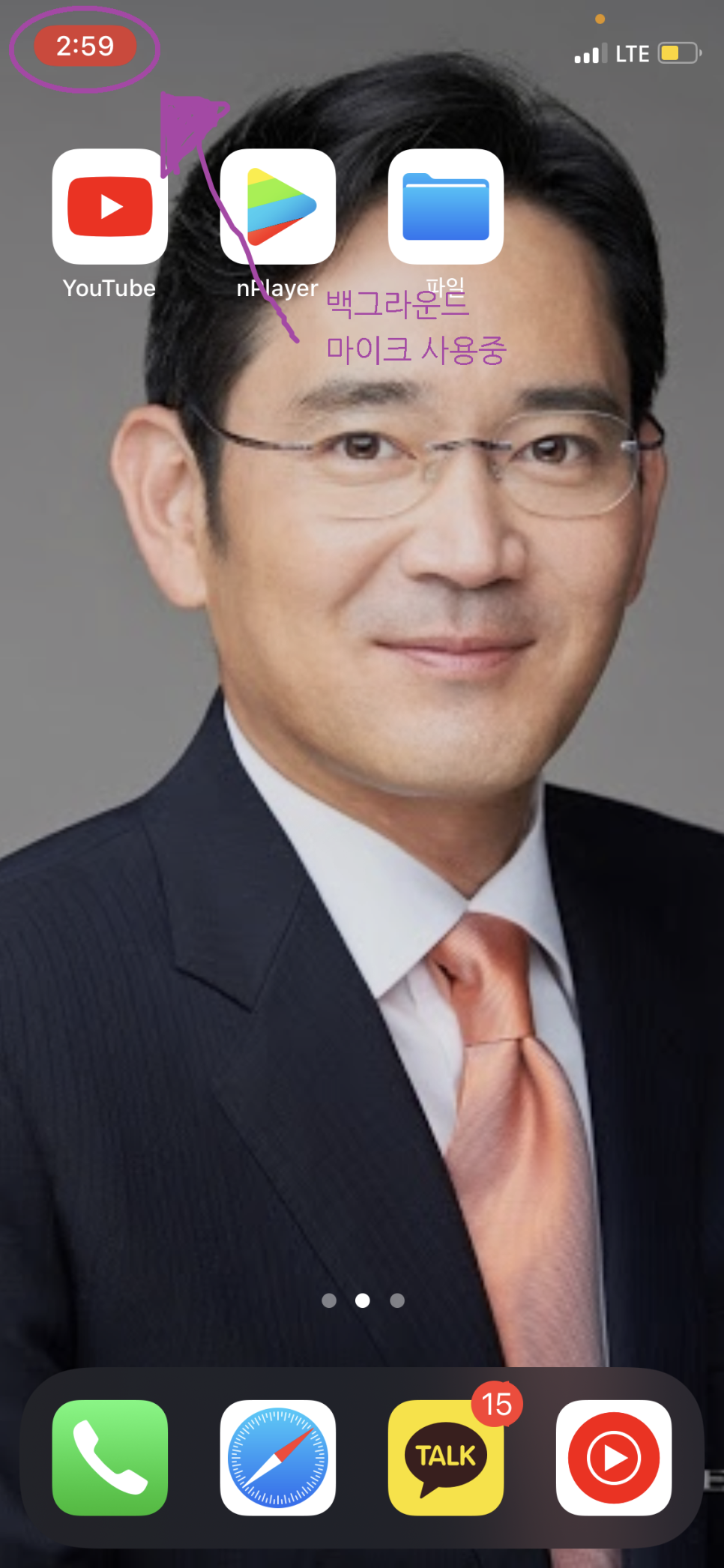
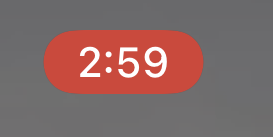
You'll notice the clock area in the top-left corner
is now highlighted in red, unlike usual.
That means the microphone is being used in the background —
it turns the same color during a phone call, too.
At this point, the mic side is all set up,
so now all you need is some music.
Head over to YouTube.
YouTube these days is really well stocked —
channels like TJ Karaoke and KY Karaoke
upload plenty of karaoke instrumental (MR) tracks complete with lyrics.
Search for a song on YouTube.
The trick is to

type in the song title you want, followed by "karaoke" (노래방).
That will bring up a bunch of different instrumental versions.
For foreign songs, instead of "karaoke," try adding "inst" or "kara" (apparently that's what "karaoke" gets called abroad — as "karaoke").
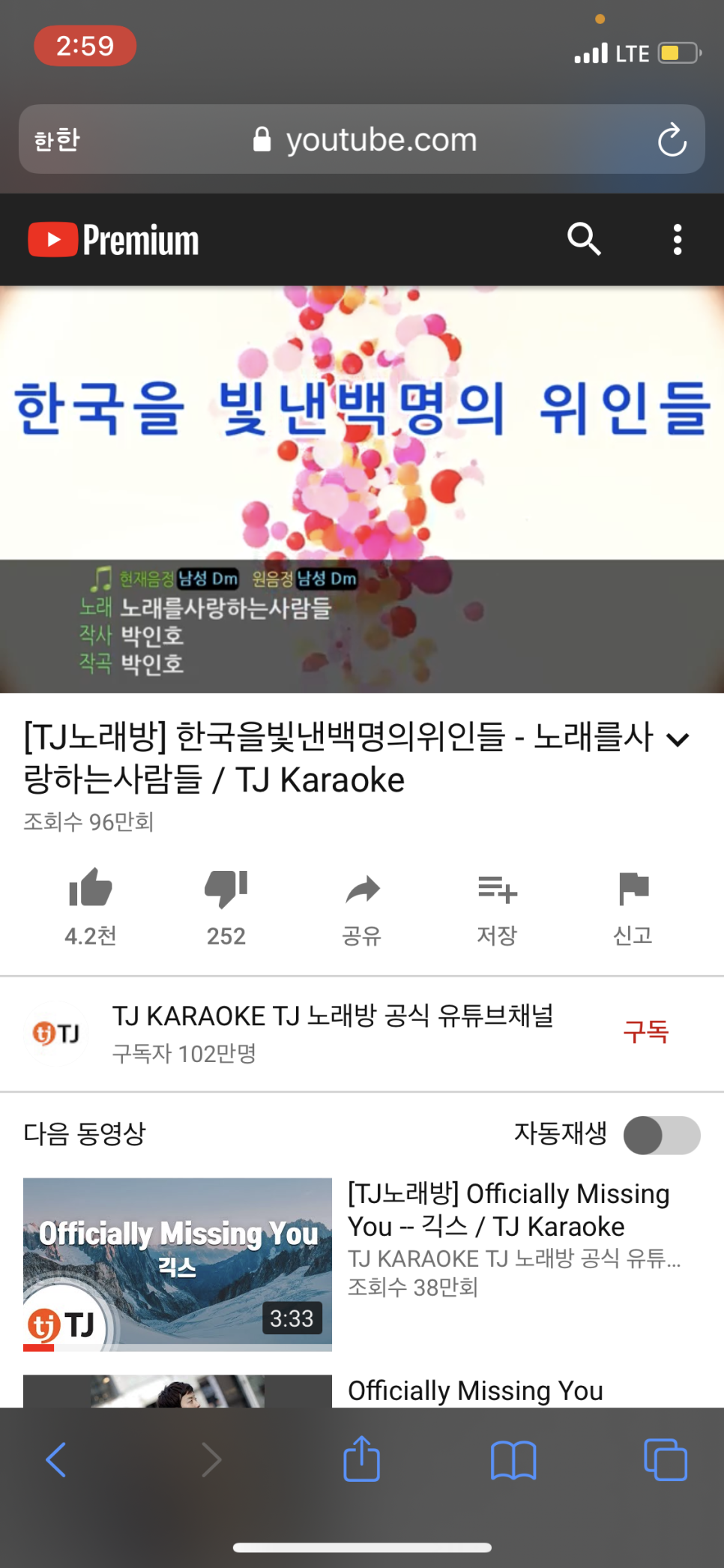
Search for whatever song you like,
and now you're ready to enjoy your own karaoke session.

Pretty easy, right?
Even though we can't hit up karaoke rooms often because of COVID,
let's at least get a taste of that karaoke feeling this way. :(
댓글 0